Article
May 26, 2026
11 min read
AI Homework
AI adoption becomes real when teams rebuild one recurring workflow around sharper intent, visible evidence, verification, and human-owned judgment.
By Cristiano Pierry
Redesign One Real Workflow Without Outsourcing Judgment
Access to better AI tools does not create adoption by itself. Adoption becomes real when a team changes how recurring work gets done.
Many organizations are full of AI activity: demos, pilot groups, prompt libraries, tool evaluations, experimentation channels, and impressive individual examples. People try a few prompts, admire the speed, save a little time, and then return to the same operating patterns. The blank page is still blank, the meeting is still underprepared, and the decision still arrives with unclear assumptions. The team may be using AI, but the work has not actually changed.
For managers and team leads, the opportunity is not to tell everyone to “use AI more.” That is too vague to become a habit. The better move is to ask a more concrete question:
What is one recurring workflow that creates drag, ambiguity, or blank-page friction, and how can we redesign it next week?
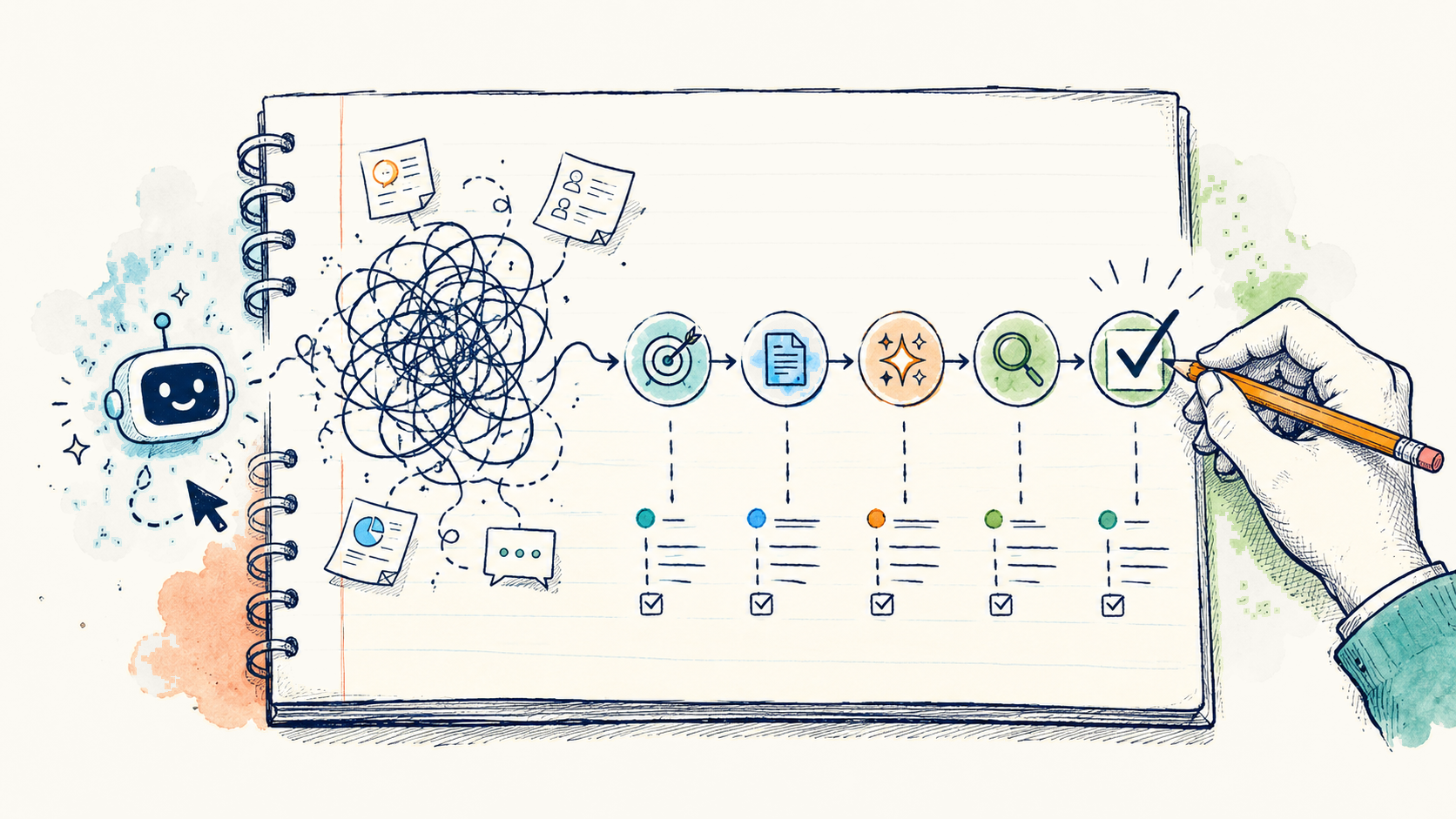
AI adoption becomes practical when one real workflow is rebuilt around sharper intent, AI-assisted execution, visible verification, and human-owned judgment.
Start With The Workflow, Not The Tool
The wrong starting question is, “How should our team use AI?”
That question is too broad. It invites scattered experimentation. One person uses AI to summarize notes. Another uses it to write emails. Someone else uses it to generate test cases. These may be useful, but they often remain personal habits rather than team operating habits.
A better question is:
Where does our team repeatedly lose time or clarity?
Good candidates usually have a few traits:
- They happen repeatedly.
- They involve messy inputs.
- They require synthesis.
- They are time-consuming but reviewable.
- They create downstream decisions.
- They often begin with someone staring at a blank page, trying to turn scattered information into a usable artifact.
That makes them strong candidates for redesign.
A product team might choose PRD cleanup. An engineering team might choose incident summaries or test-plan generation. A marketing team might choose launch readiness review. A people manager might choose promotion packet prep. A customer-facing team might choose feedback synthesis. A leadership team might choose roadmap option framing.
The workflow should be small enough to change next week, but important enough that improving it matters.
That is the standard. Not “Can we automate this?” but “Can we make this recurring work clearer, faster, more evidence-based, and easier to review?”
A Concrete Example: Customer Feedback Synthesis
Consider a common workflow: preparing a weekly customer feedback synthesis for a product review.
The old way might look like this. A PM, designer, support lead, or analyst pulls notes from support tickets, app store reviews, sales calls, research snippets, Slack threads, and maybe a dashboard or two. They scan for patterns, copy a few quotes, write a short summary, and bring it to a team meeting.
Sometimes the synthesis is useful. Sometimes it is anecdotal. Sometimes it overweights the loudest customer or the most recent escalation. Sometimes the team spends the meeting debating whether the evidence is representative instead of deciding what to do.
The problem is not effort. The person preparing the summary may be doing real work. The problem is that the workflow depends too much on manual scanning, implicit judgment, and uneven evidence quality.
An AI-assisted version does not remove the human judgment. It makes the loop more explicit.
The team decides that every Friday, the owner will create a customer feedback brief for the Monday product review. The output has a defined audience: the product triad and engineering lead. The quality bar is clear: three to five themes, representative examples, visible confidence level, known gaps, and recommended follow-up questions. The constraints are explicit: no sensitive customer data, no unsupported claims, no pretending that anecdotes equal statistically valid trends.
The source material is defined in advance. For example: the top 50 support tickets by volume or severity, 20 recent app store reviews, five recent sales call excerpts, and any related product analytics available by Friday afternoon.
AI helps with the first synthesis pass. It clusters comments, extracts recurring themes, drafts concise summaries, identifies representative quotes, and suggests open questions. But the human owner verifies the sources, checks whether the themes are overclaimed, adds missing context, removes sensitive details, and decides what the team should actually discuss.
The final artifact is not “what AI said.” It is a manager-owned or team-owned brief with evidence, assumptions, caveats, and a decision path.
That is the difference between using AI as a shortcut and redesigning the workflow.
The Five-Step Playbook
A practical next-week workflow redesign can follow five steps: choose, define, build, verify, and share.

1. Choose
Pick one workflow with repeated friction and a clear human owner.
This matters because team-level AI adoption fails when ownership is vague. If everyone is responsible for experimenting, nobody is responsible for turning the experiment into a reusable pattern.
The workflow should have a named owner. Not because that person does all the work forever, but because someone needs to make the first version real. The owner chooses the inputs, defines the output, tests the prompt pattern, verifies the result, and brings back the lesson.
The best first workflows are not the most glamorous. They are often the ones teams quietly tolerate every week: meeting prep, status synthesis, roadmap framing, incident review, launch checklists, test planning, feedback summaries, decision memos.
A manager’s job is to help the team choose a workflow that is narrow enough to redesign quickly and meaningful enough to create a visible improvement.
For the customer feedback example, the chosen workflow is simple: “Prepare the weekly customer feedback brief for Monday product review.”
It recurs, has real inputs, affects decisions, and has a human owner.
2. Define
Before using AI, define the work.
This is the step many teams skip. They jump straight into prompting and then judge the output by whether it “looks good.” That is not enough. A fluent summary can still be wrong, incomplete, misleading, or misaligned with the decision at hand.
The team should define the output, audience, quality bar, constraints, source material, and decision owner.
For the weekly customer feedback brief, the definition might look like this:
- The output is a one-page brief.
- The audience is the product review group.
- The quality bar is that each theme includes evidence, examples, confidence level, and a proposed implication.
- The constraints are that sensitive data must be excluded, claims must be traceable to source material, and the brief must distinguish between anecdote and trend.
- The source material is the agreed set of tickets, reviews, call notes, and analytics.
- The decision owner is the product lead, not the AI system and not the person who generated the first draft.

That definition improves the work before AI touches it.
It also gives the AI a better job. Instead of asking for a generic summary, the owner can ask for a structured synthesis that matches the team’s actual operating need.
3. Build
Now create a small AI-assisted version using real inputs.
Not toy examples. Not a hypothetical workflow. Not a demo prompt that works only in a clean environment.
Use the real mess.
For the feedback brief, the owner might provide a sanitized set of comments, ticket summaries, review excerpts, and relevant metrics. The prompt might ask the AI to identify recurring themes, group similar issues, cite the supporting source snippets, flag uncertainty, and propose questions for human review.
The first output will probably be imperfect. That is expected. One-pass polish is less useful than a loop that can expose gaps and improve the work.
The owner might ask follow-up questions:
- Which themes are supported by the most evidence?
- Which themes are severe but low frequency?
- Which comments seem emotionally strong but not necessarily representative?
- What assumptions would be risky to make from this data?
- What additional evidence would change the recommendation?
This is where the work begins to change. AI is not simply producing more text. It is helping the owner inspect the inputs from multiple angles before the team spends meeting time on them.
The output becomes a draft artifact with structure: themes, evidence, caveats, implications, and open questions.
4. Verify
Verification is the step that separates useful AI adoption from careless AI adoption.
Every redesigned workflow needs a visible verification step. Not hidden. Not informal. Not “I looked it over.” The verification step should be part of the artifact.
For the customer feedback brief, the owner checks source coverage, assumptions, privacy, claims, calculations, and edge cases.
- Did the AI invent a theme that is not actually supported?
- Did it merge two different customer problems into one vague category?
- Did it overstate frequency?
- Did it include sensitive customer information?
- Did it ignore a small but high-severity issue?
- Did it mistake correlation for cause?
- Did it produce a recommendation that exceeds the evidence?
The final brief should make the verification visible. For example, it might include a short section called “Checks Performed” or “Evidence And Caveats.” That section can note that source snippets were reviewed, sensitive details were removed, high-severity outliers were checked, and unresolved questions were carried into the meeting.
This does two things. It improves trust, and it trains the team not to treat the first AI output as done.
AI-assisted does not mean unreviewed. Faster preparation is useful only if the team can still trust the artifact.
Managers should be especially firm on this point.
5. Share
The last step is to turn one person’s experiment into a team habit.
That requires packaging the workflow so others can reuse it. The owner should share the final artifact, the prompt pattern, the before-and-after comparison, the verification step, and the lesson learned.
The before-and-after comparison is important. Without it, the team may only see another document. With it, they can see the operating change.
Before: one person manually scanned scattered feedback and wrote a narrative summary.
After: the team used a defined source set, a structured AI-assisted synthesis, explicit evidence checks, visible caveats, and a human-owned decision path.
What improved? The brief was clearer. The assumptions were easier to inspect. The meeting started with better evidence. The team spent less time debating the shape of the information and more time deciding what to do next.
That is how a single workflow becomes a reusable pattern.
What Not To Do
The fastest way to stall AI adoption is to make it too big too soon.
- Do not start with a giant automation project. Large automation efforts require process maturity, data readiness, governance, integration work, and change management. Those may be worthwhile later, but they are usually the wrong place to begin.
- Do not use sensitive data before the workflow is approved. If the team has not clarified data rules, source boundaries, and privacy expectations, use sanitized or approved inputs. A workflow redesign should increase discipline, not bypass it.
- Do not treat the first AI output as done. AI can produce confident, polished, incomplete work. The more fluent the output, the more important the verification step becomes.
- Do not measure only speed. Speed matters, but it is not the full value. A workflow that produces faster confusion is not better. Measure clarity, evidence quality, reviewability, decision impact, and reuse.
- Do not automate a workflow nobody understands. If the team cannot describe the current workflow, the desired output, the quality bar, and the decision owner, it is not ready for automation. First make the work legible. Then decide where AI can help.
- Do not create more output without improving decisions. Many teams already have too many documents, summaries, dashboards, and updates. Better judgment with less avoidable friction is the standard.

What Good Looks Like
A good redesign is visible in the work product. The artifact has a clear audience, evidence base, decision owner, and review step. It exposes uncertainty rather than hiding it under polished language, and another person can reuse the pattern the following week.
The faster first draft matters less than the resulting workflow: assumptions become easier to inspect and decisions easier to review.
The Manager’s Role
Managers and team leads are the leverage point because they can turn scattered experiments into shared practice.
An individual contributor can find a useful prompt. A manager can turn that prompt into a workflow expectation.
An individual can save an hour. A team lead can redesign the meeting so every future review starts with better evidence.
An individual can use AI to create a better draft. A manager can require that drafts include sources, assumptions, verification, and a clear decision owner.
That is the shift from personal productivity to organizational capability.
The manager does not need to be the best prompt writer on the team. The manager needs to create the conditions for useful adoption: pick real workflows, define quality, protect judgment, insist on verification, and make the pattern reusable.
The Real Ask
Do not ask everyone to “use AI more.”
Ask each team to bring one redesigned workflow next week.
Not a concept. Not a demo. Not a list of possible use cases.
One workflow.
Bring the prompt pattern. Bring the artifact. Bring the verification step. Bring the before-and-after comparison. Bring the lesson learned.
For example: “We redesigned the weekly customer feedback brief. The old version was a manual narrative summary. The new version uses a defined source set, AI-assisted clustering, evidence-linked themes, visible caveats, and a human-owned recommendation. The biggest improvement was visibility: the team could see the assumptions and make a better decision faster.”
One redesigned workflow is small enough to attempt next week and substantial enough to teach a team where AI helps, where it does not, and where judgment still belongs.
Remove the avoidable friction. Keep human ownership of intent, tradeoffs, evidence, decisions, and outcomes.
This writing reflects my personal perspectives on product management, AI, and content discovery. It does not represent the official position of my employer or any affiliated organization.