Article
March 17, 2026
8 min read
Lessons from Building with AI: Developing the Connect-K Game
From a 3D cube in space to a published multiplayer experience — key lessons on working with AI coding tools that every builder should know.
By Cristiano Pierry and Marcelo Pierry
From a 3D Cube in Space to a Published Multiplayer Experience
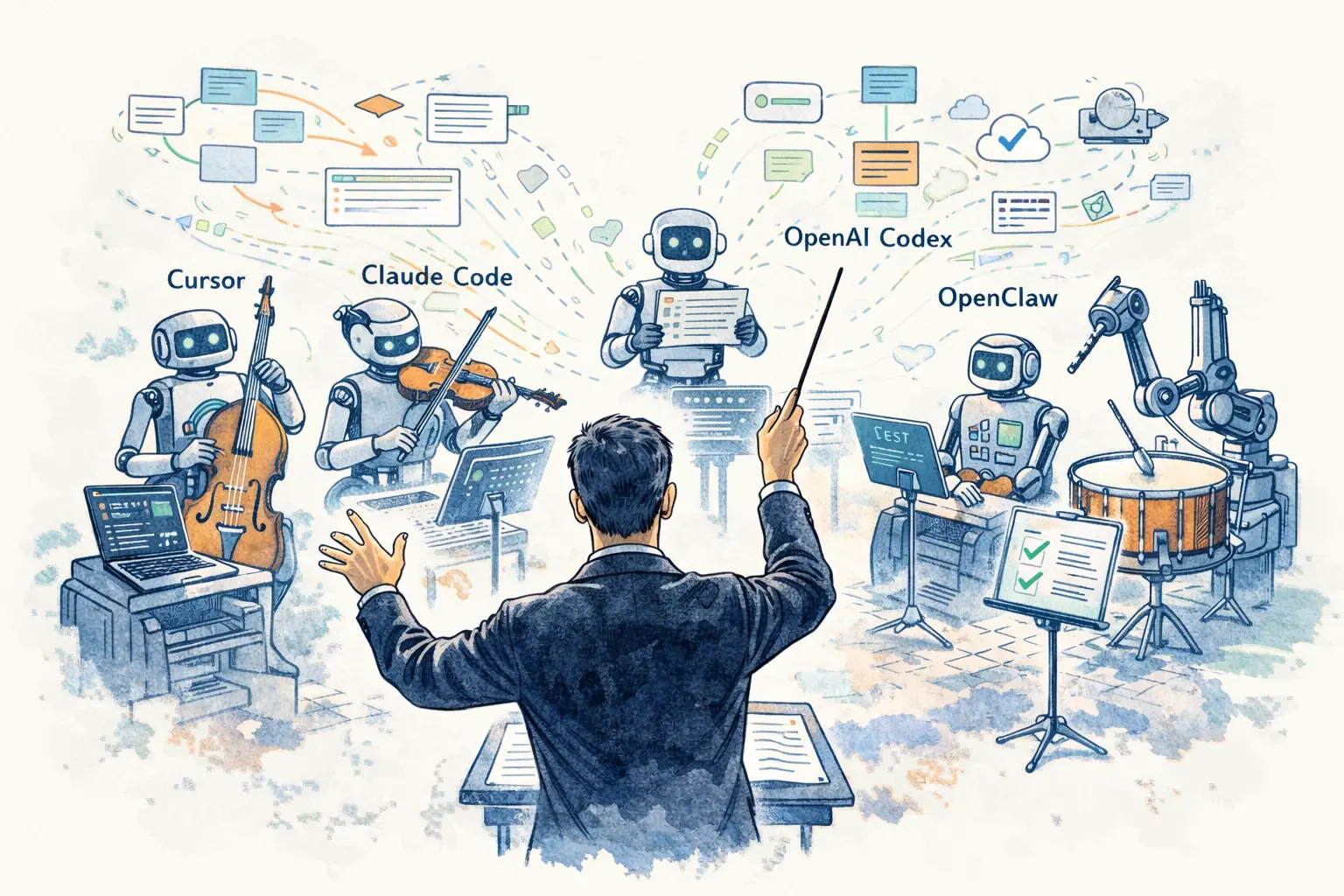
Marcelo and I set out to understand what it actually feels like to build real software with AI coding tools. Not a demo. Not a tutorial exercise. A real product, with multiplayer, online play, configurable rules, and a design language that holds together. We chose a 3D Connect-K board game, and we built it entirely through natural-language interaction with tools like Cursor and Claude.
The tools were remarkably capable, but their speed exposed a different category of challenges.
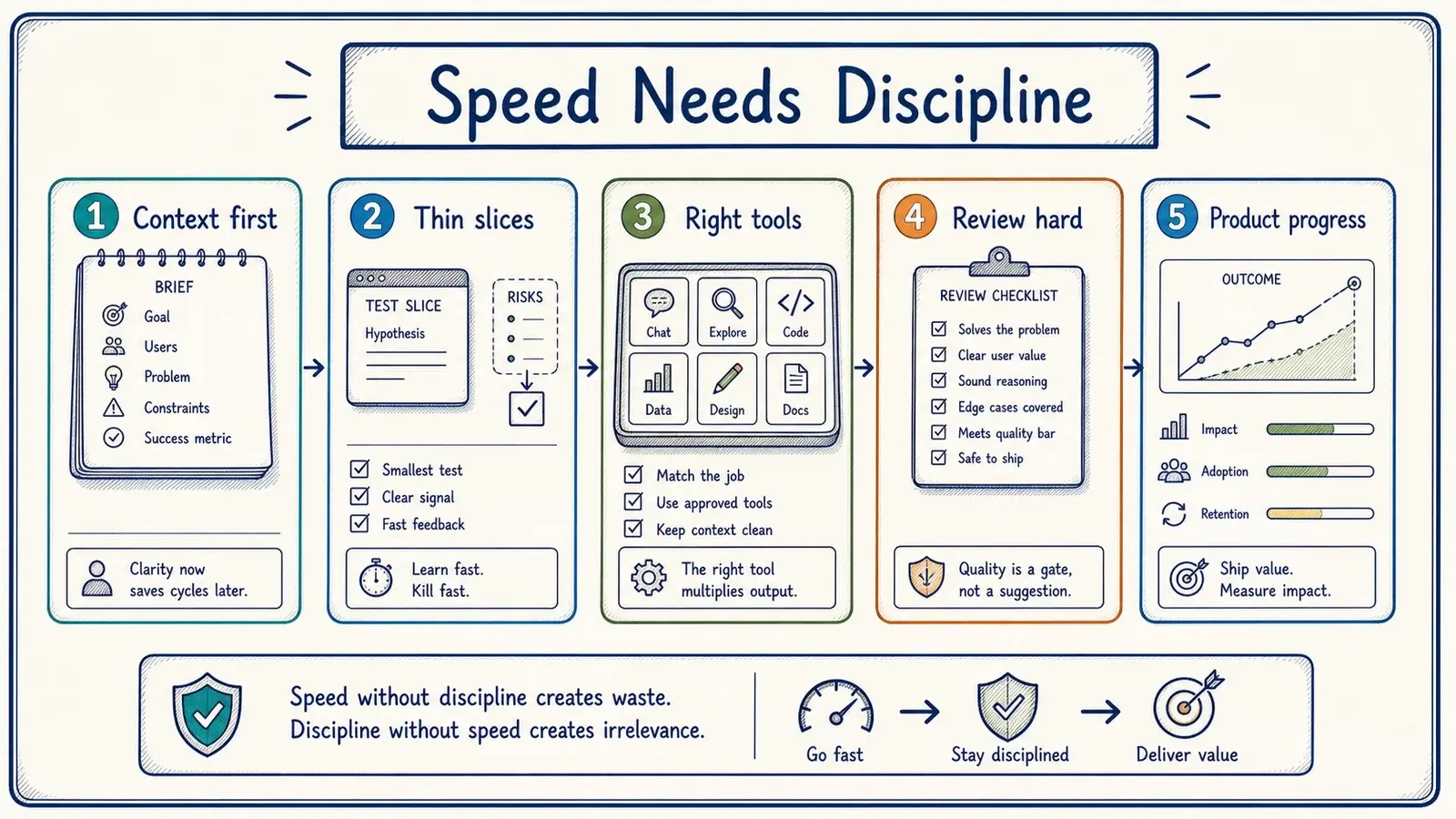
Speed amplifies good decisions and bad ones alike. The discipline required to ship a coherent product does not diminish when the cost of writing code drops.
If anything, it increases.
These are the practices that made the difference during the build.
The Game, Briefly
The project started with a simple goal: render a 3D cube in a browser and let a user place game pieces inside it. From there, the feature set grew in deliberate stages. We added turn-based play, win detection across all lines of a 3D grid, a game lobby, and AI opponents with configurable difficulty. Then came online multiplayer with Firebase, which evolved to include in-game messaging after we realized that playing someone remotely without being able to talk to them felt incomplete.
Once features were stable, we refined the UI, established a design language, and published version one. Because the engine was configurable rather than hardcoded, we were able to add classic board games like Connect 4 and tic-tac-toe as alternate configurations of the same system. We then rearchitected the codebase to prepare for a native iOS app.
But the product itself is not the point of this article. The point is what the process revealed.
Lessons from the Build
The Connect-K project taught us a set of practices that should remain useful as AI-assisted development becomes more common.
Initial Framing: Set the Context Before You Start Building
The most important thing we did at the start was set context before writing a feature list. We described the product—a web-based game for desktop and mobile—the intended feel of a spatially understandable 3D cube, and the initial constraints: browser-based, responsive, and without a backend. That framing shaped subsequent interactions. When we were vague, the tools defaulted to generic solutions that required rework; a clear initial frame consistently gave us a better starting point.
Usage Limits: A Constraint You Need to Plan Around
At the time of this build, our Claude plan used a five-hour usage window. We had a finite resource for each window, and how we spent it affected what we could accomplish before the displayed reset time.
One of the most useful optimizations we discovered was scheduling. We planned intensive sessions around the reset window so capacity would be available when we sat down to work. That small operational adjustment reduced the frustration of hitting a limit mid-task. It also forced us to treat plan usage as a resource to manage rather than something to react to after it was gone.
Model Selection: Use the Best Models and Let the Tool Decide
We learned early that model selection mattered for complex work. In our sessions, lower-quality output often consumed more cycles in correction than it saved. We therefore favored the strongest models available to us rather than optimizing each request for the lowest token cost.
Cursor offers automatic model selection that prioritizes a reliable available model, but its documentation distinguishes that from routing based on task type. More sophisticated task-aware routing—choosing a model based on the nature and complexity of the work—remains a product direction rather than a universal behavior. The developer should have to make that choice only when it is useful.
Source Control: Discipline Is Non-Negotiable
AI-assisted development can feel so fast that source control discipline seems like unnecessary friction. It is not. We maintained a rigorous workflow throughout the project: local commits after every meaningful change, a new branch for every new feature, code review before merging, and a clean deployment pipeline. That discipline saved us repeatedly. When an AI-generated change broke something subtle, we could revert cleanly. When a feature branch went sideways, we could abandon it without contaminating the main codebase.
The speed of AI development makes source control more important, not less, because changes happen so fast that without discipline, the codebase can drift into an inconsistent state within a single session.
Prioritization: Resist the Temptation of One More Thing
When building with AI is this fast, the temptation to add just one more feature is constant and powerful. Every idea feels achievable because, in most cases, it actually is achievable. The implementation cost is low. But the complexity cost is real. Every feature adds surface area for bugs, increases the cognitive load on users, and makes the product harder to reason about. Be disciplined about what to build. Resist the pull of "one more thing."
The question is never "can we build this?" It is always "should we build this now, and does it make the product meaningfully better?"
Incremental Feature Development: Thin Slices, Tested Thoroughly
The most reliable pattern we found was building in thin, testable slices. Rather than asking the AI to build an entire feature end to end, we would break it into discrete steps, implement each step, verify it worked, and then move on. This approach has several advantages. It keeps the context window manageable. It produces code that is easier to review. It catches problems early, before they propagate through multiple layers. And it matches how AI tools actually work best: they perform better on focused, well-scoped tasks than on broad, ambiguous ones.
Multiple Foundational Models: Use Different Tools for Different Jobs
We also used different tools for different kinds of work. Claude or ChatGPT helped us think through a product problem, clarify the user experience, research technical options, or draft an implementation prompt. We then took that refined direction into Cursor to execute. In this project, matching the tool to the task worked better than forcing one interface to handle everything.
Different Team Members: Wear Multiple Hats Deliberately
Throughout the project, we found ourselves switching between distinct roles: product manager, designer, principal engineer, and QA tester. The key insight was to be deliberate about which hat we were wearing at any given moment. When we were in product mode, we focused on what to build and why. When we were in design mode, we focused on how it should look and feel. When we were in engineering mode, we focused on implementation quality. And when we were in QA mode, we tried to break everything.
Conflating these roles, trying to design and build and test simultaneously, consistently led to worse outcomes. The discipline of wearing one hat at a time, even when working solo with AI tools, kept the quality of each type of work higher.
The Three-Phase Loop: Features, Then Design, Then Optimization
We converged on a three-phase rhythm: make the core feature work and verify it, refine the design and usability, then optimize performance and architecture. Attempting all three simultaneously was counterproductive. Polishing a feature whose logic was unstable wasted effort, while optimizing before the feature set settled created repeated rework. The sequence sometimes felt slower in the moment but reduced backtracking overall.
Short, Focused Threads: Respect the Context Window
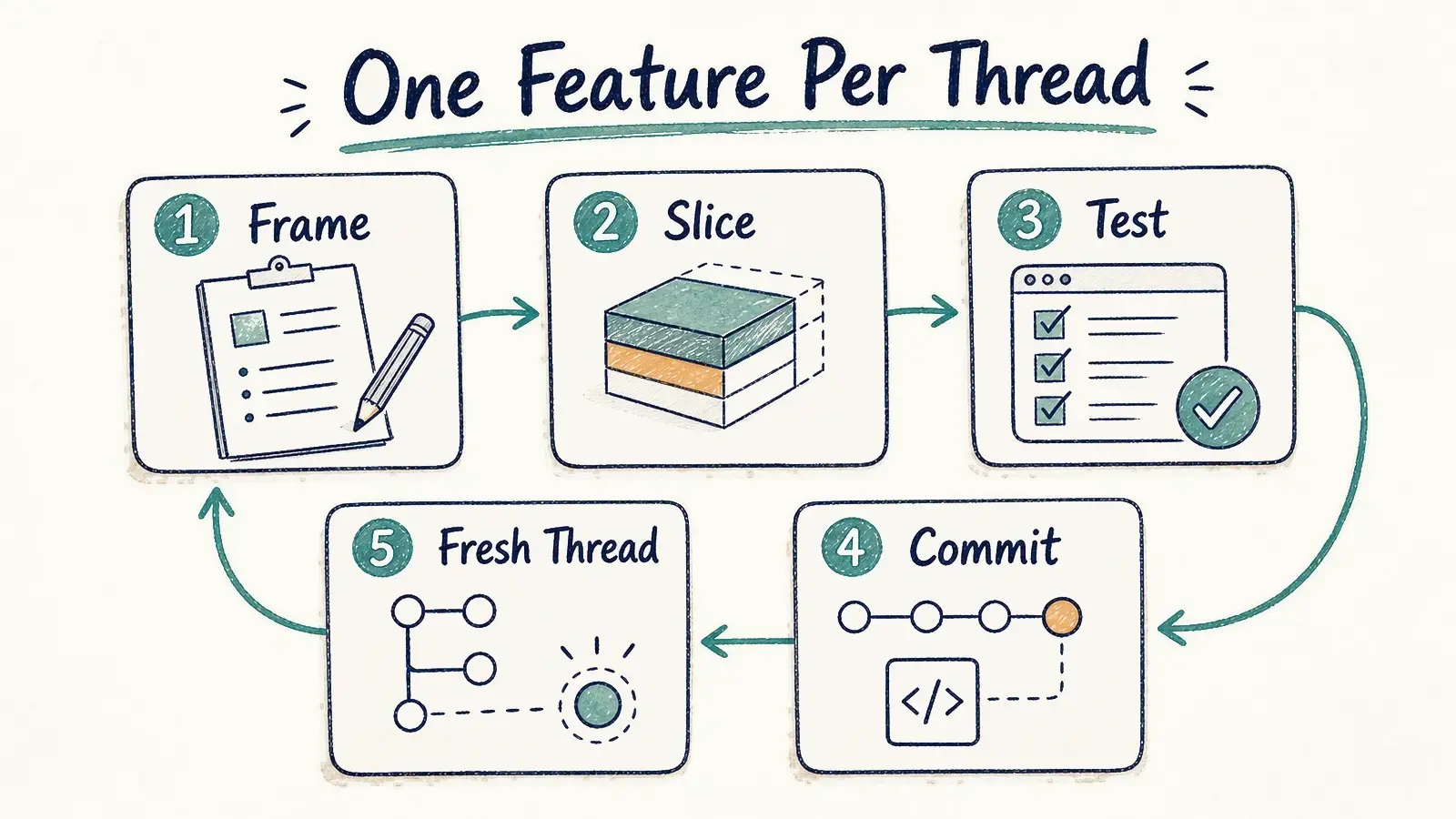
This may be the single most practical lesson from the entire project: keep your conversation threads short and focused. The context window is a finite resource. As a thread grows longer, the AI's ability to maintain coherence with earlier parts of the conversation degrades. More importantly, mixing multiple unrelated features in the same thread leads to confused outputs and tangled code.
Our rule was simple. One feature per thread. When a feature was complete, we started a new thread for the next one. We never, and this is worth emphasizing, never developed different features in the same conversation. The discipline of starting fresh for each feature kept the AI focused, kept the output clean, and made it far easier to review and understand what was generated.
Knowing When to Stop the Agent
AI coding agents sometimes go off the rails. They start refactoring code you did not ask them to touch. They introduce dependencies you did not want. They solve a problem you did not have. When this happens, the instinct is to try to steer the agent back on course. That instinct is usually wrong.
The better approach is to stop immediately. Throw away the generated code. Revert to your last clean commit. Start a new thread with a clearer, more constrained prompt. The cost of a fresh start is almost always lower than the cost of trying to salvage a divergent output. This requires a kind of emotional discipline, letting go of code that the AI spent time generating, but it consistently produces better results.
What We Took Away
The Connect-K game started as a weekend experiment and grew into a fully featured, published product: player-versus-player, player-versus-computer, AI-versus-AI, and online multiplayer with in-game messaging. It supports configurable board sizes, configurable win conditions, gravity settings, multiple game piece styles, and both 2D and 3D visualization. It was built entirely through natural-language interaction with AI coding tools.
We built the game to learn what AI-assisted development felt like across a complete product. It did not eliminate the need for engineering discipline, product judgment, or design taste; it concentrated all three into a tighter loop. Clear framing, focused threads, thin slices, source control, and a willingness to stop a divergent agent were what kept the result coherent. The tools accelerated the implementation, but we still had to own the craft.
This writing reflects my personal perspectives on product management, AI, and content discovery. It does not represent the official position of my employer or any affiliated organization.